Precise control
Use the slider in 0.01x steps or tap a preset. Speeds start at 0.25x and go up to 16x with Pro.
 On the App Store
Video Speed Control is a Safari extension for iPhone, iPad and Mac. It changes the playback speed of videos on the websites you visit, remembers the speed you like for each site, and shows how much time you save. It is for students, language learners and anyone who wants lectures faster or tutorials slower.

Use the slider in 0.01x steps or tap a preset. Speeds start at 0.25x and go up to 16x with Pro.
An on-screen controller and a speed overlay keep the current speed in view while you watch.
Set a default speed per website and the extension remembers it the next time you visit.
Voices keep their natural pitch at higher and lower speeds.
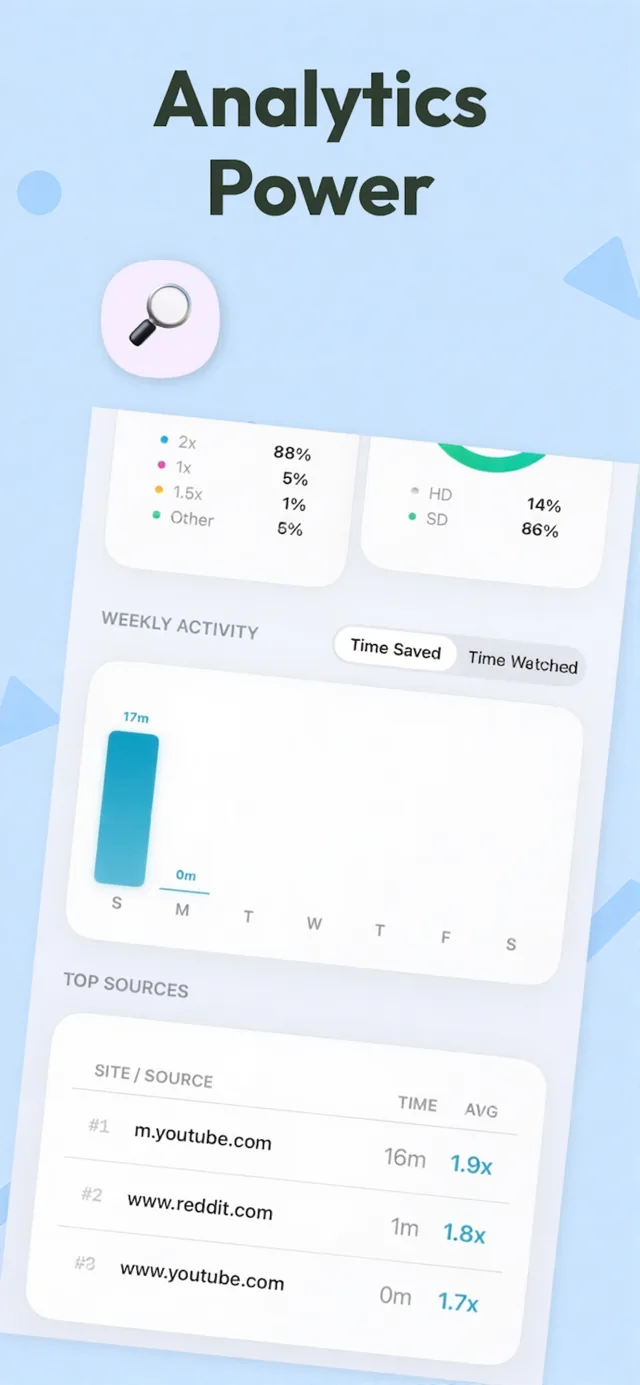
See the hours you save each week, your average speed and the sites you watch most.
Keyboard shortcuts on Mac, iCloud sync across iPhone, iPad and Mac, and a blocklist or allowlist for sites.


Video Speed Control is a Safari extension for iPhone, iPad and Mac that changes the playback speed of web videos, remembers a speed for each site, and tracks how much time you save.
It works on websites that play standard HTML5 video in Safari, which includes YouTube, Netflix, Vimeo and many online course platforms.
On iPhone and iPad, open Settings, then Safari (on iOS 18 and later, Apps, then Safari), then Extensions, and turn on Video Speed Control. On Mac, open Safari, choose Settings, then Extensions, and select it. You can also manage extensions from the Safari address bar.
Speeds start at 0.25x. Pro extends the range up to 16x, adjustable in 0.01x steps or with preset buttons.
Pitch correction keeps voices sounding natural at higher and lower speeds. You can turn it off in Settings.
Video Speed Control is free to download. Pro is an optional in-app purchase through the App Store.