
Most AI study tools live in a chat box. You type, or photograph your page, and the answer lands somewhere else. NoteFun keeps everything on the page you are already writing on. You handwrite with Apple Pencil, and when you get stuck you write the question, tap Ask, and the tutor writes back underneath, in ink.
Who it is for
- Students who take class notes and do homework by hand on iPad, and want help without leaving the page.
- Anyone who takes meeting notes by hand and wants to ask them a question later, such as what was decided.
- People who think better with a pen and want a notebook first, with help only when they ask for it.
How Ask works
- Write your question or problem on the page with Apple Pencil.
- Tap Ask. The first time, NoteFun shows what will be sent and asks for your permission.
- The reply is written underneath your handwriting. It is ink, so you can move it, erase it or keep it.
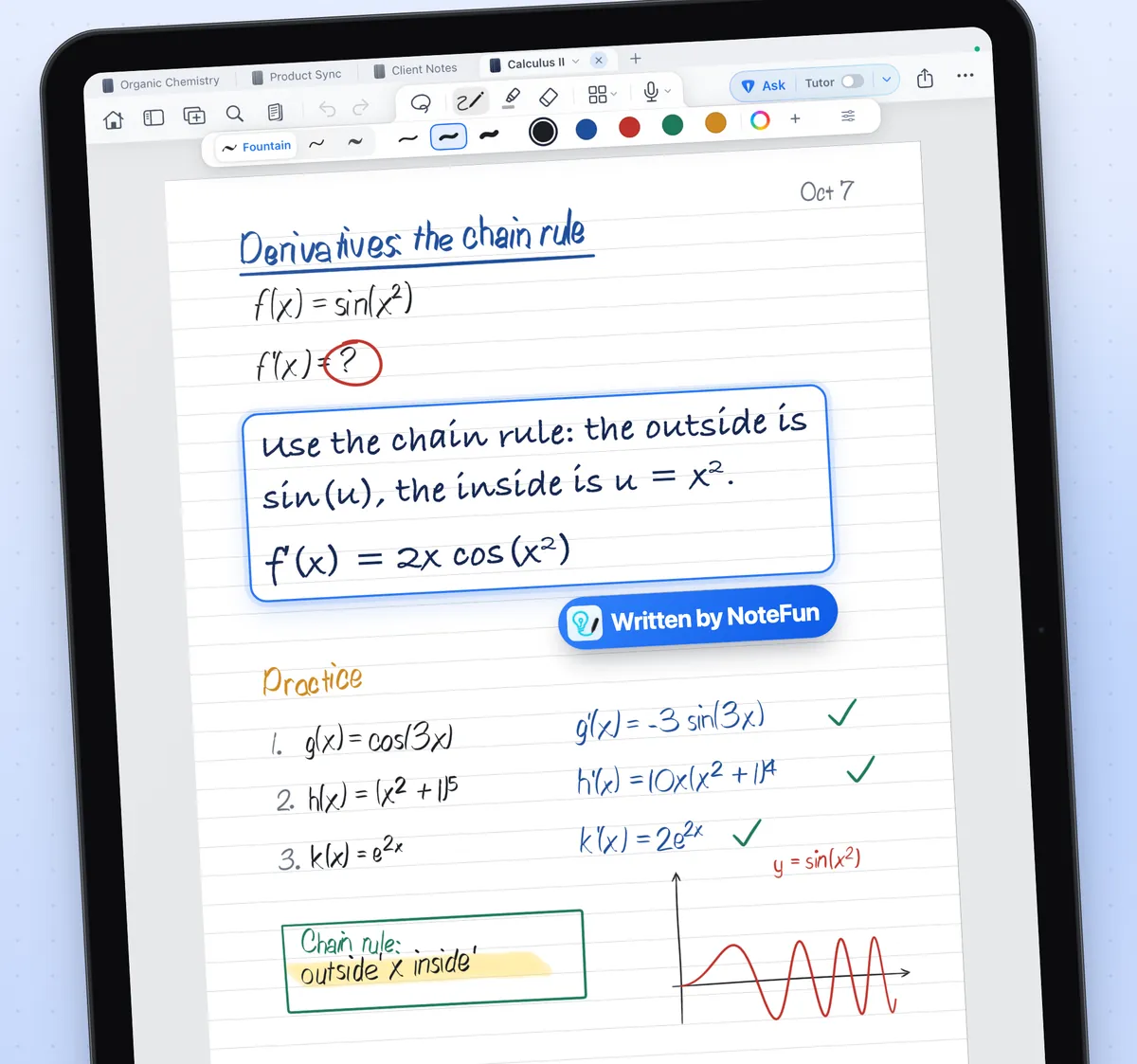
Choose how much help you get
Every Ask has a depth. Hint gives a small nudge toward your next step without the answer. Explain teaches the idea first and then walks through the steps. Solve gives the full worked solution with a short check. Explain is the default. The step-by-step math guide shows each one on a real problem.
It works for meeting notes too
Ask reads whatever is written on the page. Under a page of meeting notes, write What did we decide on pricing? and tap Ask. The reply summarises what your notes say, written on the same page.
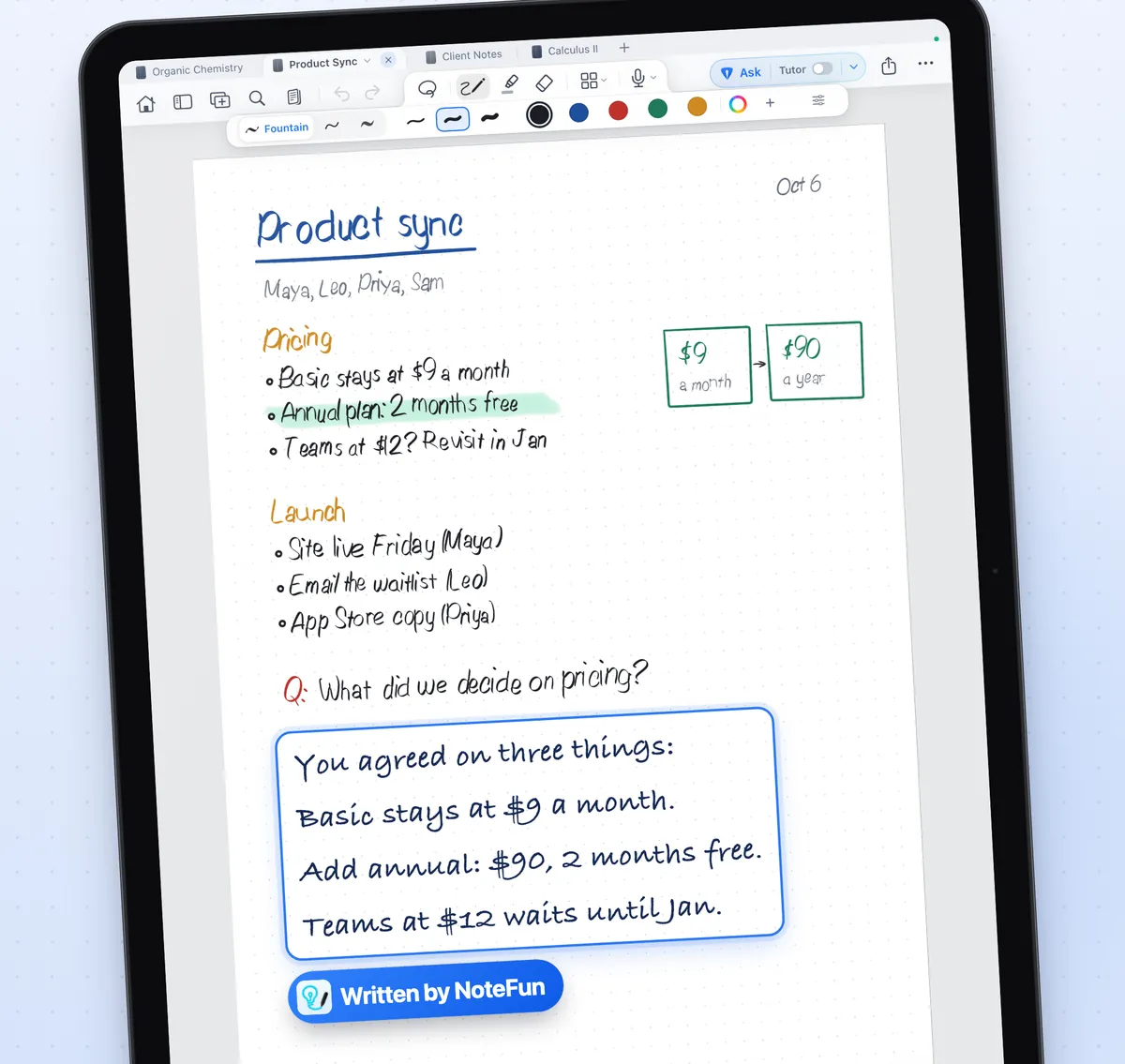
A real notebook underneath
The tutor is optional. The notebook is the point. NoteFun is built on Apple's PencilKit, so pressure, tilt, double tap and squeeze behave the way they do across iPadOS.
- Fountain, ball, brush and pencil inks, a highlighter and an eraser.
- A lasso that selects strokes so you can cut, copy, paste or delete them.
- Pencil only mode, so your finger scrolls and zooms and a resting hand leaves no mark.
- Papers from blank and lined to graph, dotted and Cornell. See the paper guide.
- PDF import and markup. See annotating PDFs on iPad.
- Search that reads your handwriting. See searching handwritten notes.
What is sent when you Ask
Your notebooks live on your iPad, with an optional copy in your own iCloud. There is no account to create. A page goes to the tutor service only when you tap Ask, and then it is one picture of that page, plus the text of the PDF page if you are writing on one. You can turn AI off for any notebook, and its pages then stay on your iPad. The privacy policy has the full detail.
Good to know
- NoteFun is an iPad app and needs iPadOS 17 or later. Apple Pencil is recommended.
- It is free to start, with three notebooks and a daily allowance of Asks. NoteFun Pro unlocks unlimited notebooks and a larger daily allowance.
- AI models make mistakes. Treat every reply as a study aid to check, not as professional advice.