
NoteFun is a handwriting notebook for iPad and Apple Pencil with a tutor that answers on the page. It suits students working through algebra, calculus or physics by hand who want a nudge, not just an answer.
Step by step
- Open a notebook on graph paper. Squared or Grid paper keeps your working aligned. You choose the paper when you create the notebook.
- Write the problem and your attempt. Write the question by hand, and include the lines you have already tried. The tutor reads the whole page, so your working shows where you got stuck.
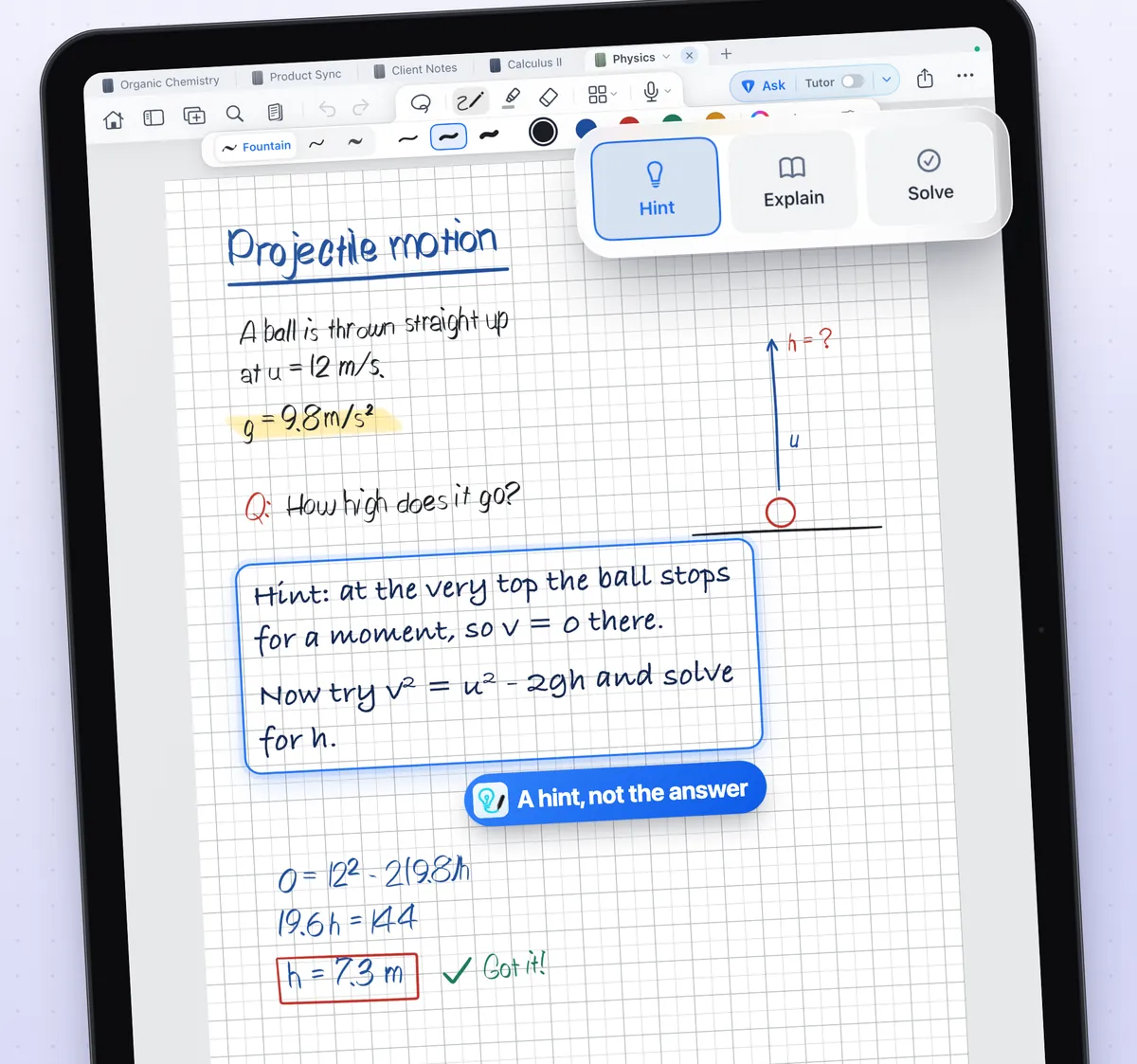
- Choose Hint, Explain or Solve. Pick the depth in the row under the Ask button. Hint gives your next step, Explain teaches the idea and then the steps, Solve gives the full worked solution.
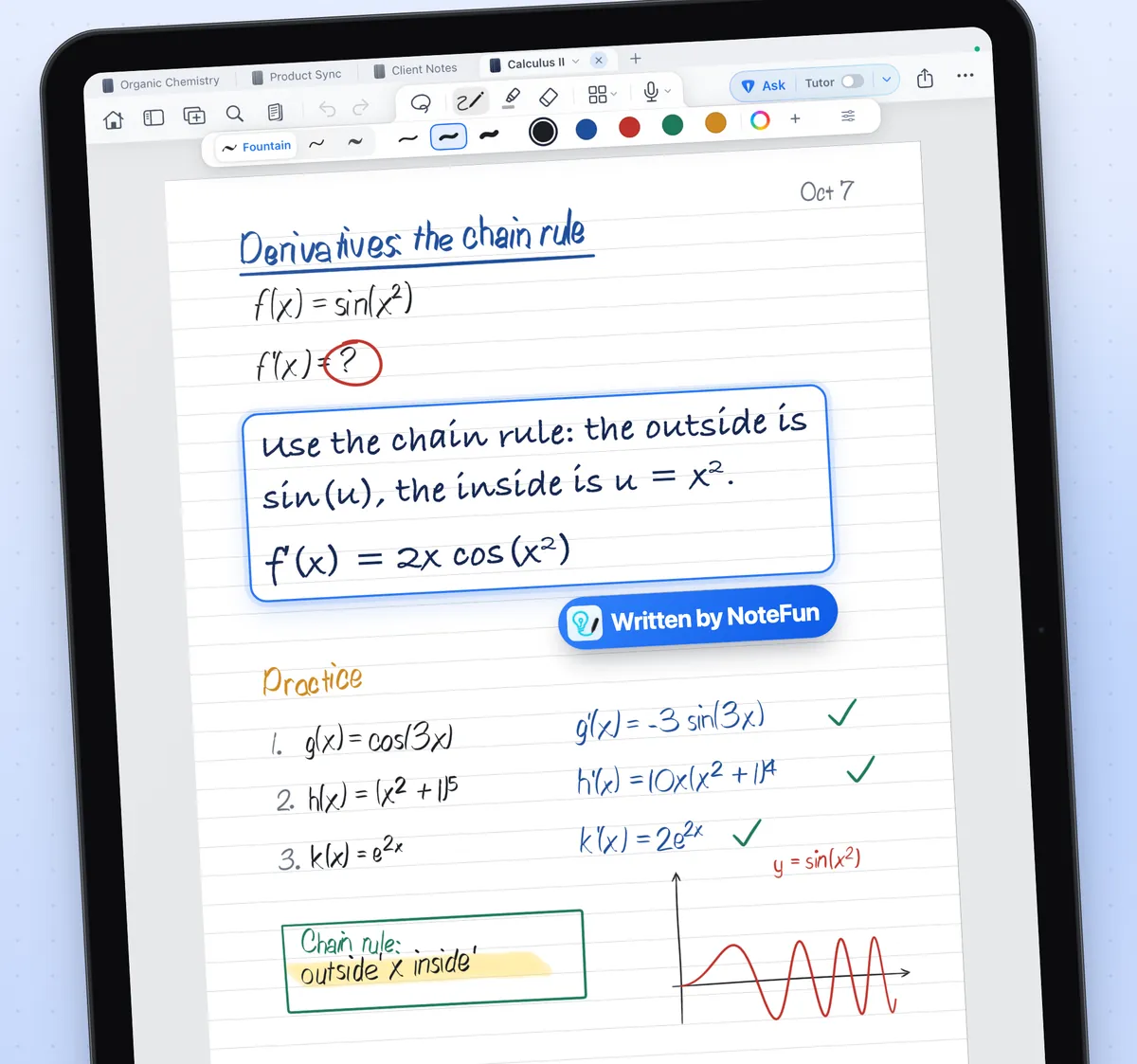
- Tap Ask. The reply is written in ink underneath your handwriting, on the same page.
- Try the next line yourself. Work the next step on your own, then Ask again with Hint if you need another nudge.
- Check the answer. Substitute your answer back, or compare it with the check in a Solve reply. AI models can make mistakes.
Hint, Explain and Solve
- Hint
- One short sentence naming your next step. It does not do the step for you or reveal the answer. Use it when you are close.
- Explain
- The idea first, in simple language, then the steps and why they work. This is the default.
- Solve
- The complete worked solution, with the intermediate steps, the final result and a short check when it helps.
Tips for better replies
- Write one problem at a time, and leave some space underneath for the reply.
- Ring the part you are stuck on so it is clear what you are asking about.
- Keep units and given values on the page. The tutor can only use what it can see.
- Write legibly. Neat handwriting is not required, but numbers and symbols should be readable.
Use it to learn, not to copy
The fastest way to learn a method is to do the next line yourself. Start with Hint, move to Explain if the hint is not enough, and save Solve for checking a finished attempt. Replies are ink, so you can erase a step and try it again on the same page.
Good to know
- Ask sends one picture of the page you ask about, and nothing until you tap Ask. AI can be turned off for any notebook.
- NoteFun is free to start, with three notebooks and a daily allowance of Asks. NoteFun Pro raises the allowance.
- For iPad with iPadOS 17 or later. Apple Pencil recommended.