
NoteFun is a handwriting notebook for iPad and Apple Pencil. Lecture slides, readings and worksheets come in as PDFs and become pages you can write on, like any other page.
Step by step
- Import the PDF. In the Library, tap New, then Import, and choose the PDF in Files. The PDF becomes a notebook, one page per PDF page, and its contents appear in the Outline.
- Write and highlight. Write on the slide with any pen, and mark key lines with the highlighter. Pressure and tilt work as they do everywhere on iPad.
- Move or remove marks with the lasso. Circle strokes with the lasso, then tap the selection to cut, copy, paste or delete.
- Ask about a slide. Write your question next to the slide and tap Ask. The reply is written on the page in ink.
- Search the PDF and your notes. Tap Search and type a word. NoteFun finds it in the PDF text and in your handwriting.
- Export. Export a page as PDF or PNG, or export the whole notebook, to share or hand in.
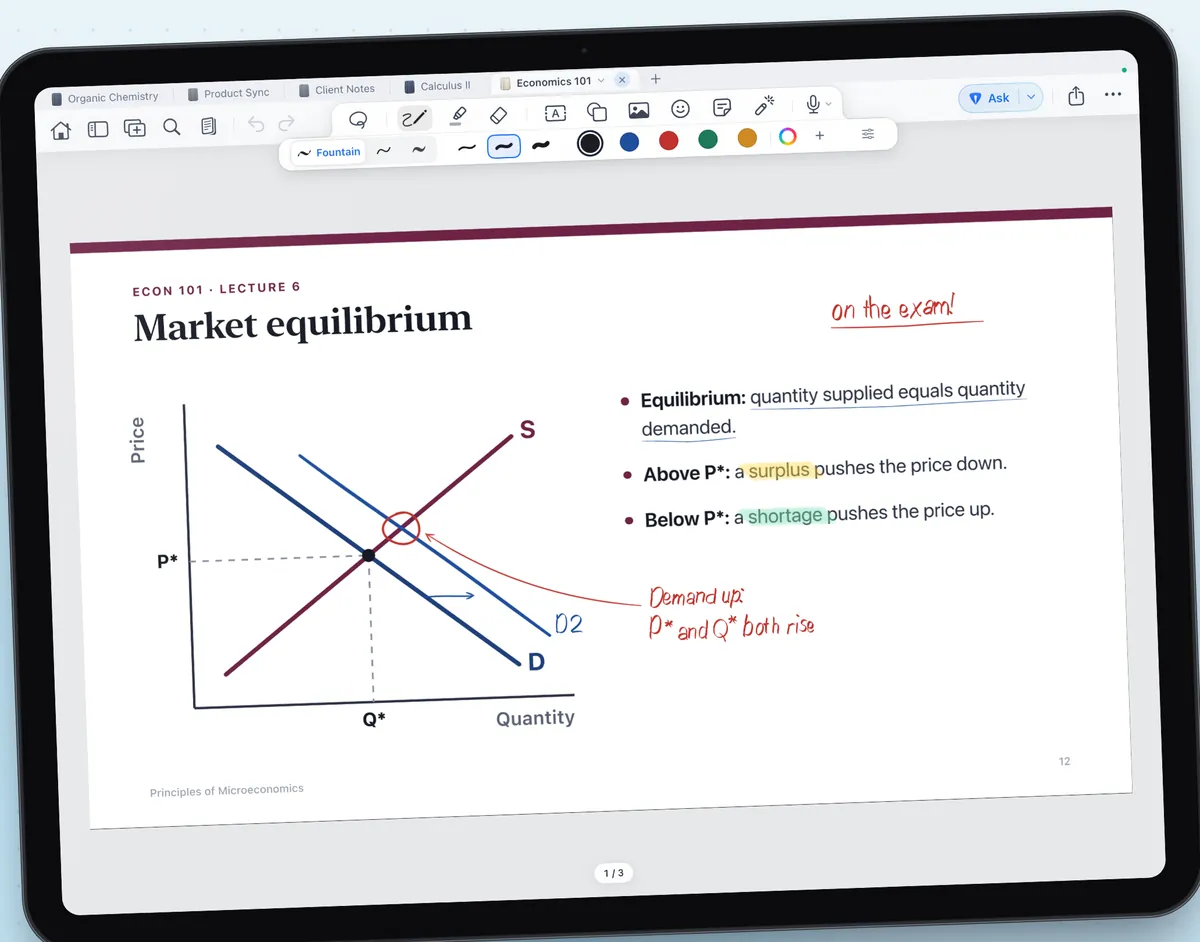
Asking about a slide
When you Ask on a PDF page, NoteFun sends one picture of that page and the text of that PDF page to the tutor service, so the reply can use what the slide actually says. Nothing is sent until you tap Ask, and AI can be turned off for any notebook. Read the privacy policy before asking about sensitive documents.
Finding things later
Search looks through the notebook you have open: the PDF's own text and the handwriting you added on top. Handwriting is read on your iPad, and fresh writing takes a moment to become searchable. The search guide has more.
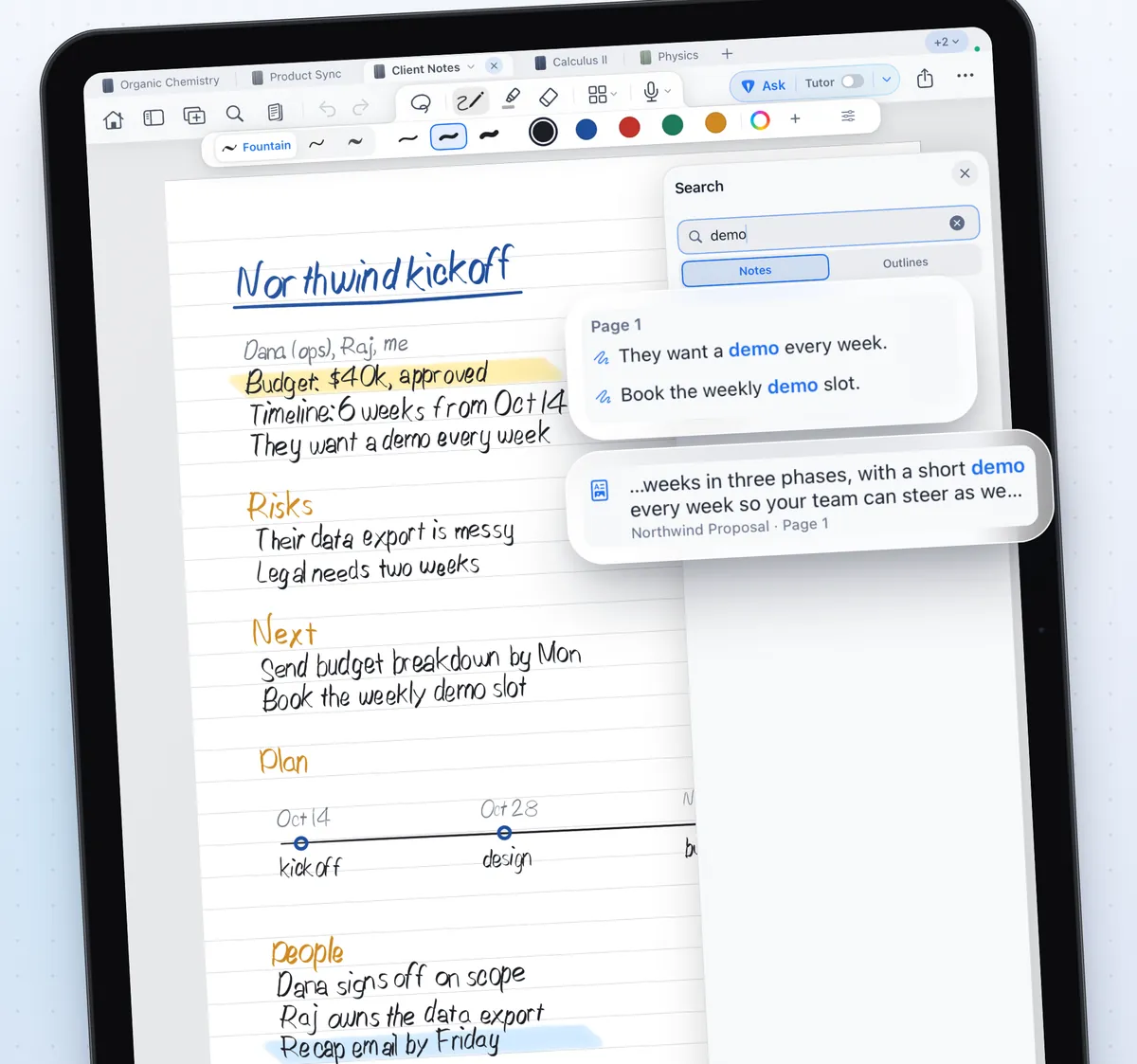
Tips
- Use the Outline to jump between sections that the PDF brings with it, and add your own sections.
- Star the pages you will revise from, and they appear together in the page panel.
- Use Pencil only mode so you can rest your hand on the slide while you write.